Same Rate, Different Weather / design diagrams
Decision flows, supporting boards and model evidence. All shapes, labels and connected arrows are editable in the native Excalidraw files. Open a downloaded file in Excalidraw to revise it. SVG and PNG exports are ready to share.
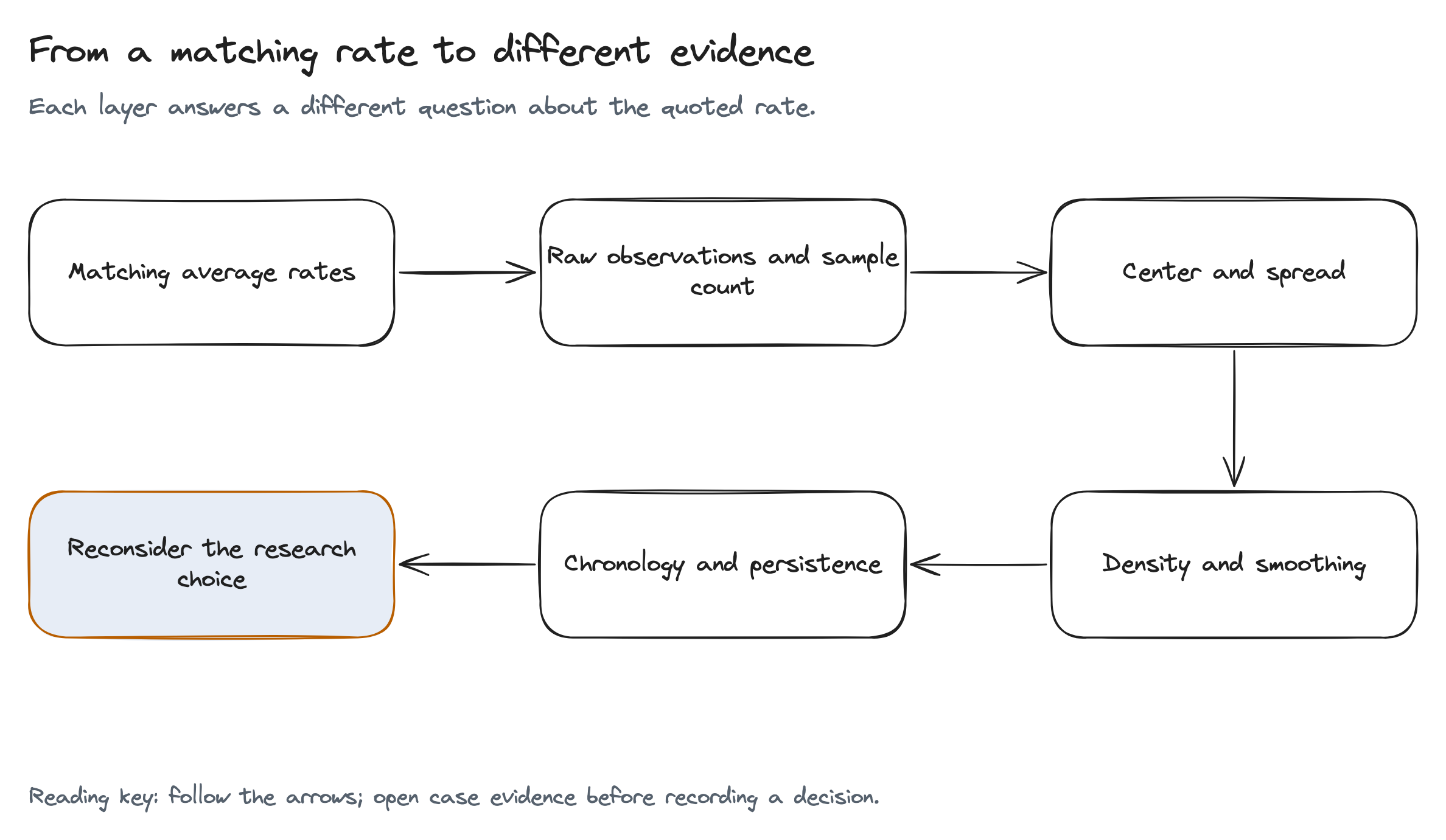
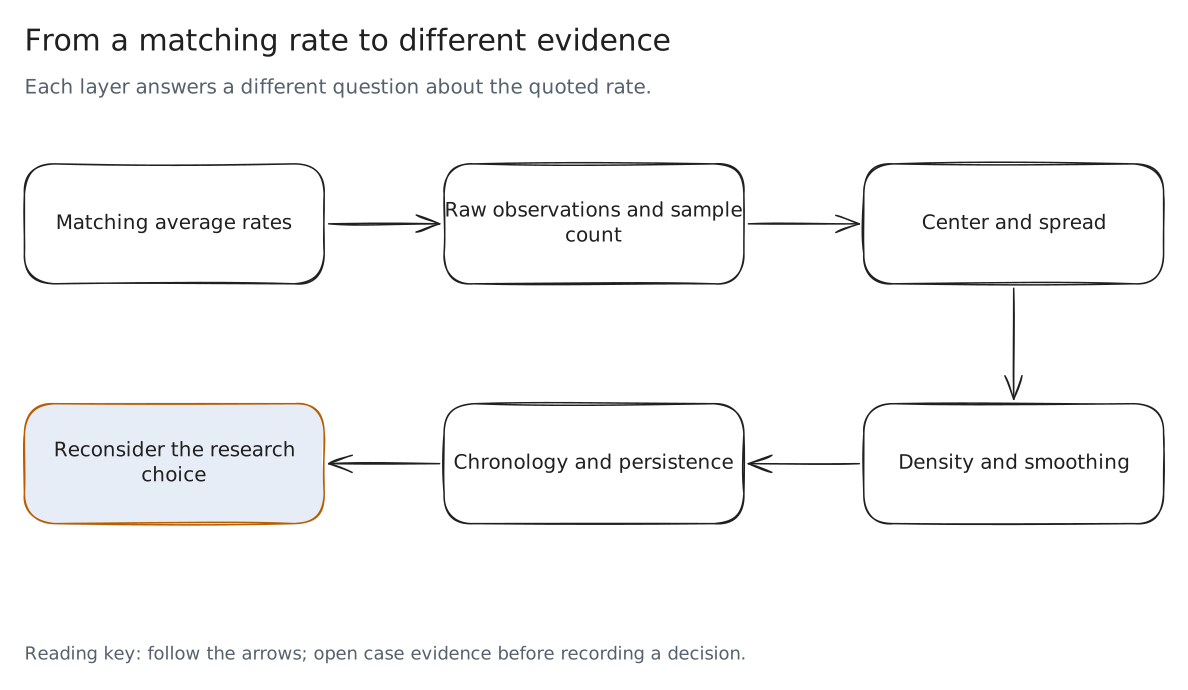
From a matching rate to different evidence
Each layer answers a different question about the quoted rate.
Read the diagram as text
- A quoted average begins the comparison
- Raw observations expose the range and sample count
- Box summaries locate central spread
- Density exposes shape under a chosen bandwidth
- Chronology tests whether the pattern persists
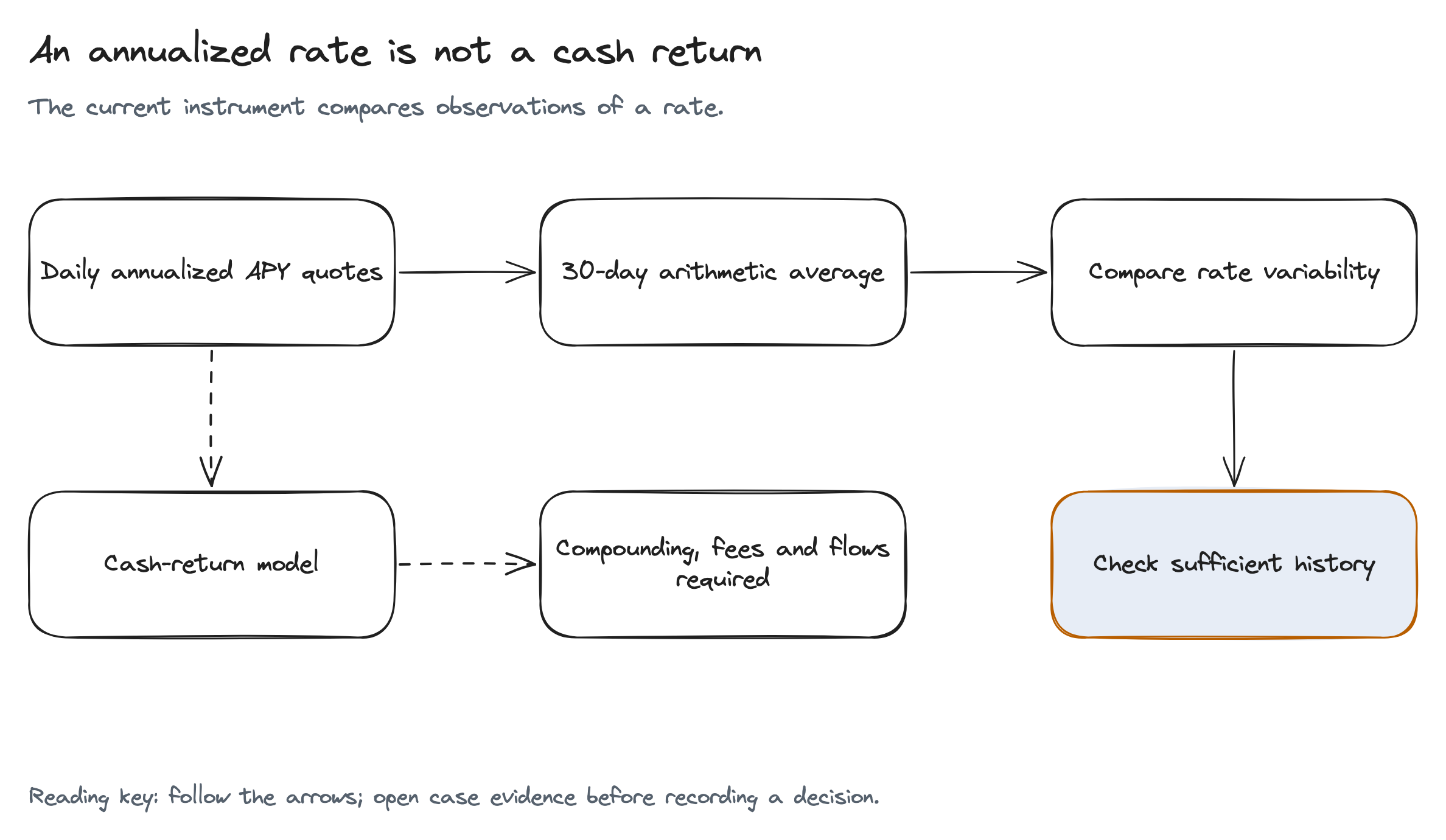
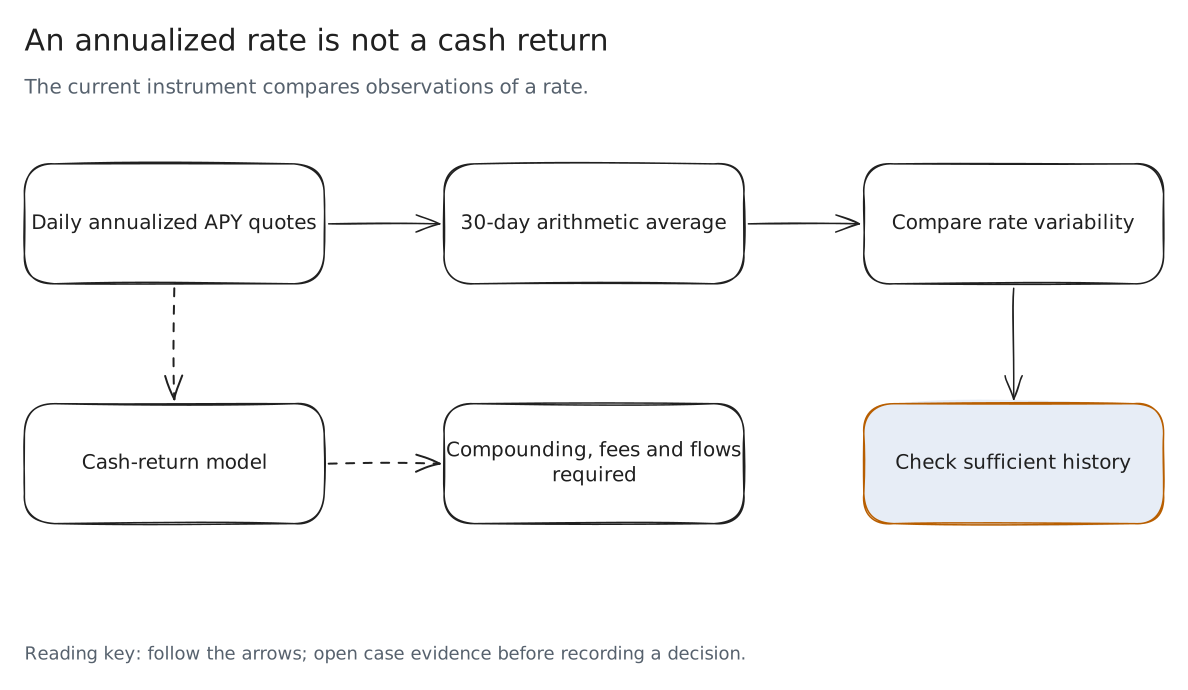
An annualized rate is not a cash return
The current instrument compares observations of a rate.
Read the diagram as text
- Daily observations are annualized APY quotes
- A 30-day window averages those quotes
- Overlapping windows reuse observations
- Cash returns require a compounding and fee model
- Insufficient history remains an explicit result
Read a rate through four evidence layers
Schematic marks illustrate the encoding, not additional rate observations
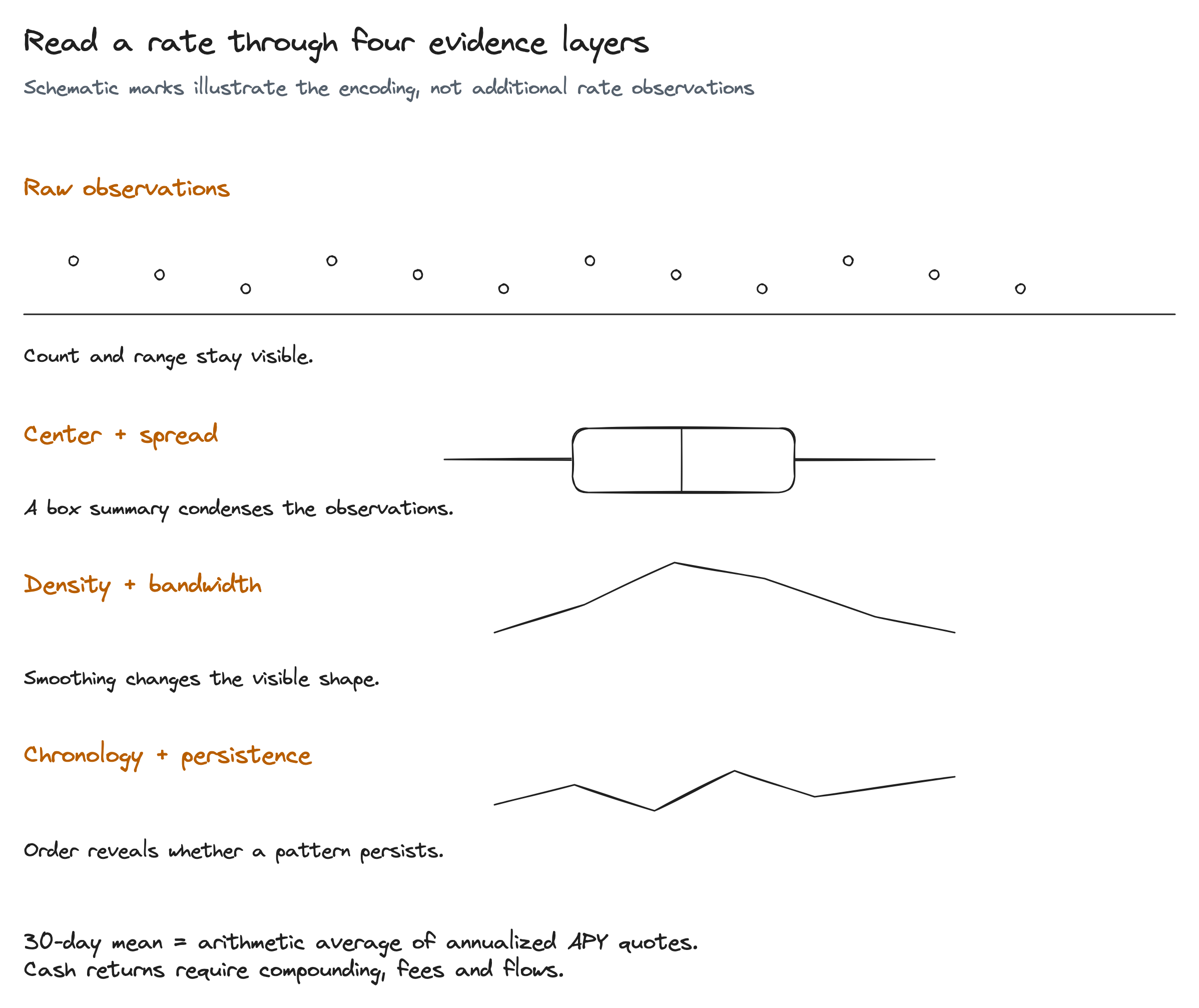
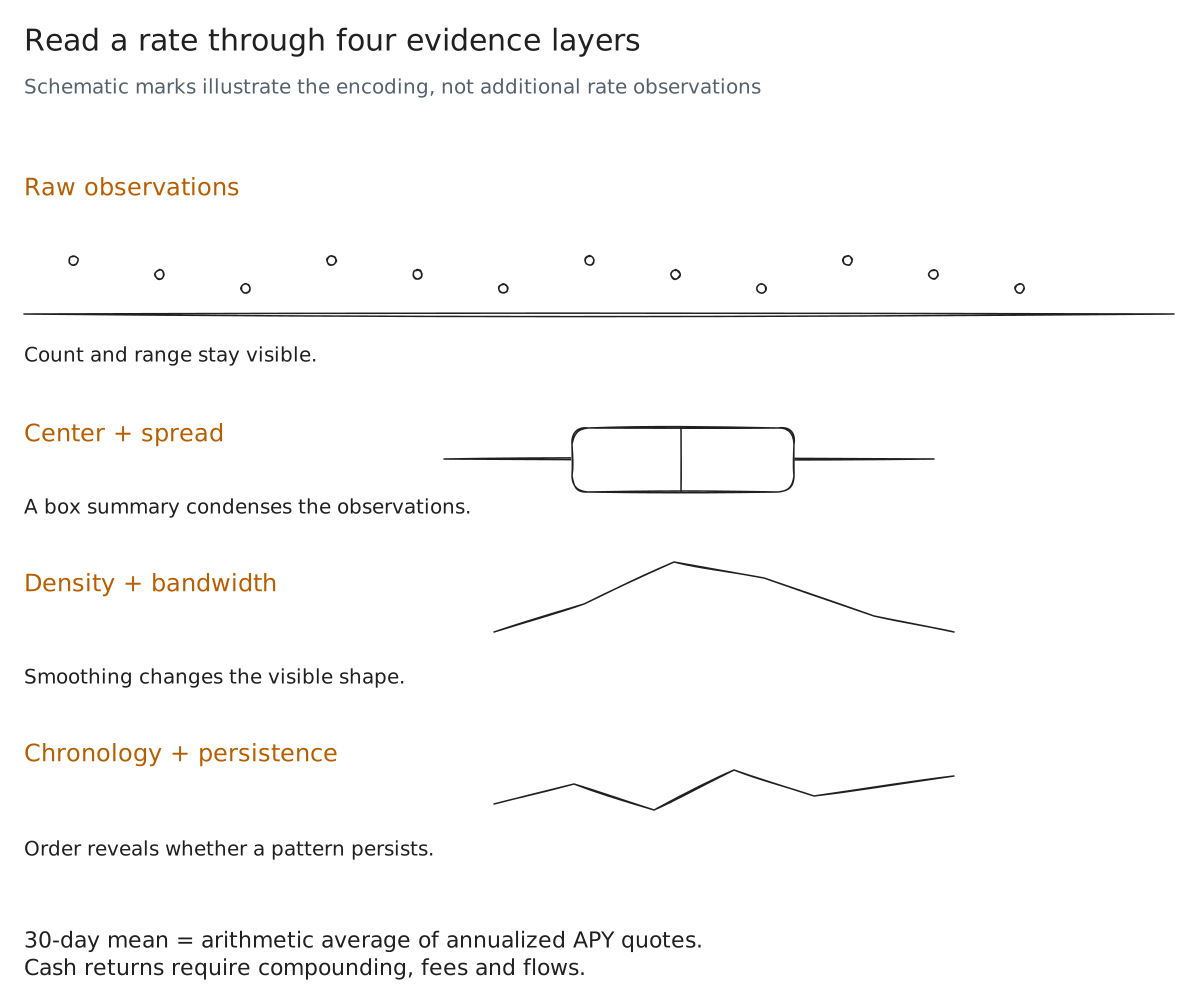
Read the diagram as text
- Raw observations
- Count and range stay visible.
- Center + spread
- A box summary condenses the observations.
- Density + bandwidth
- Smoothing changes the visible shape.
- Chronology + persistence
- Order reveals whether a pattern persists.
- 30-day mean = arithmetic average of annualized APY quotes.
Cash returns require compounding, fees and flows.
Which evidence layer changes the first impression?
Five pools share the displayed 12.0% rate; different evidence exposes each one
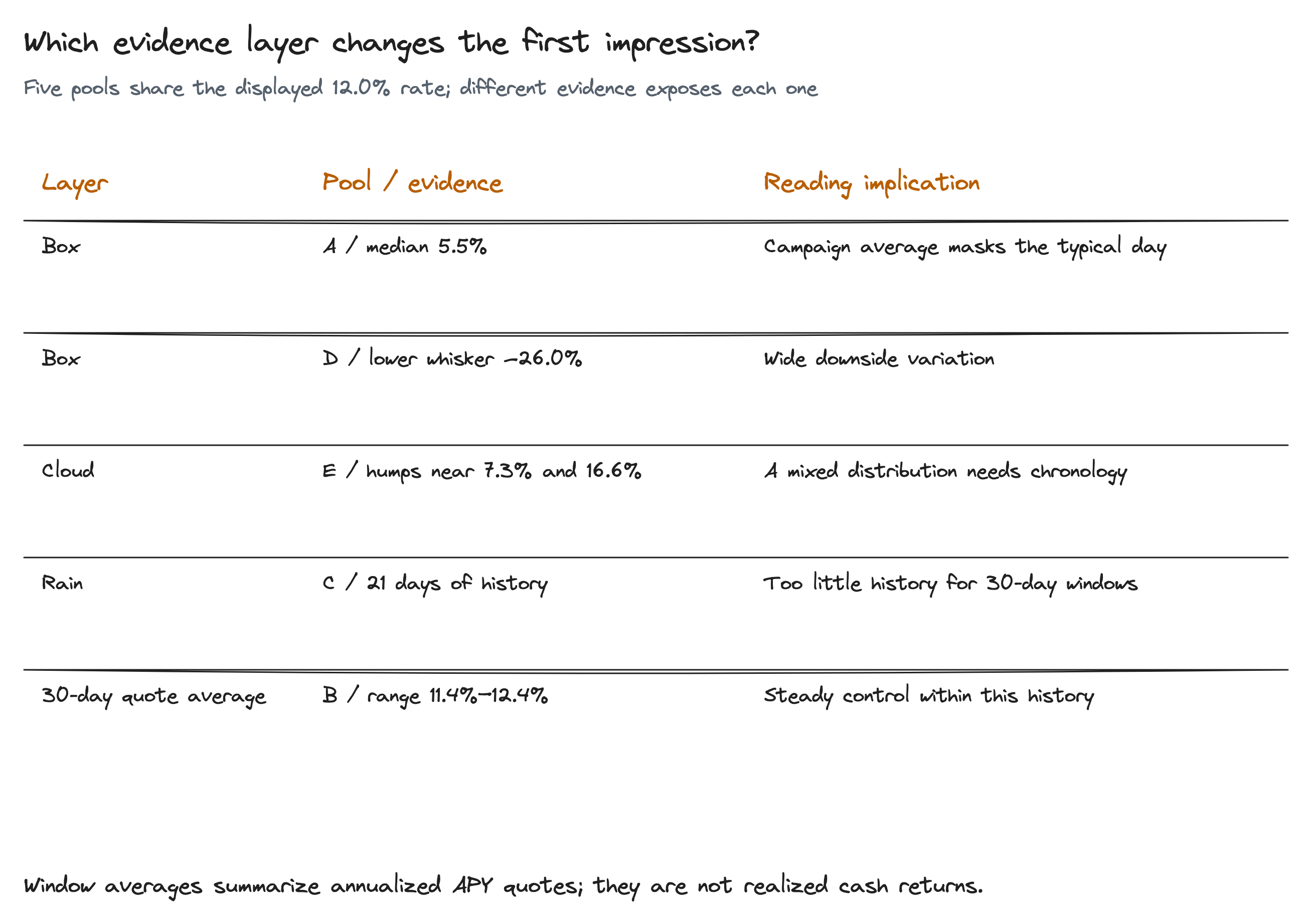
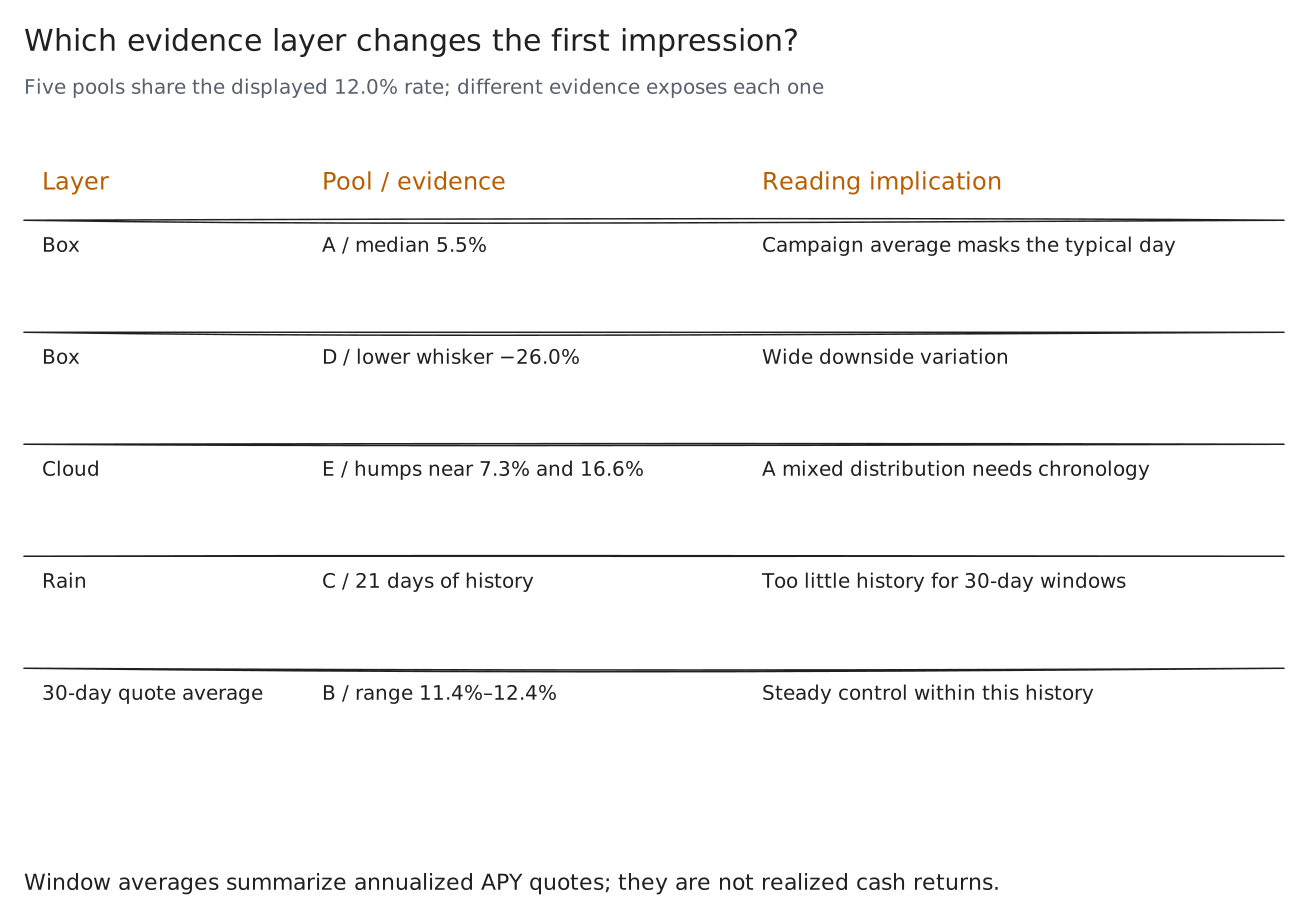
Read the diagram as text
- Layer
- Pool / evidence
- Reading implication
- Box
- A / median 5.5%
- Campaign average masks the typical day
- Box
- D / lower whisker −26.0%
- Wide downside variation
- Cloud
- E / humps near 7.3% and 16.6%
- A mixed distribution needs chronology
- Rain
- C / 21 days of history
- Too little history for 30-day windows
- 30-day quote average
- B / range 11.4%–12.4%
- Steady control within this history
- Window averages summarize annualized APY quotes; they are not realized cash returns.
Commit → inspect → choose again
The interaction exposes what changed the research choice
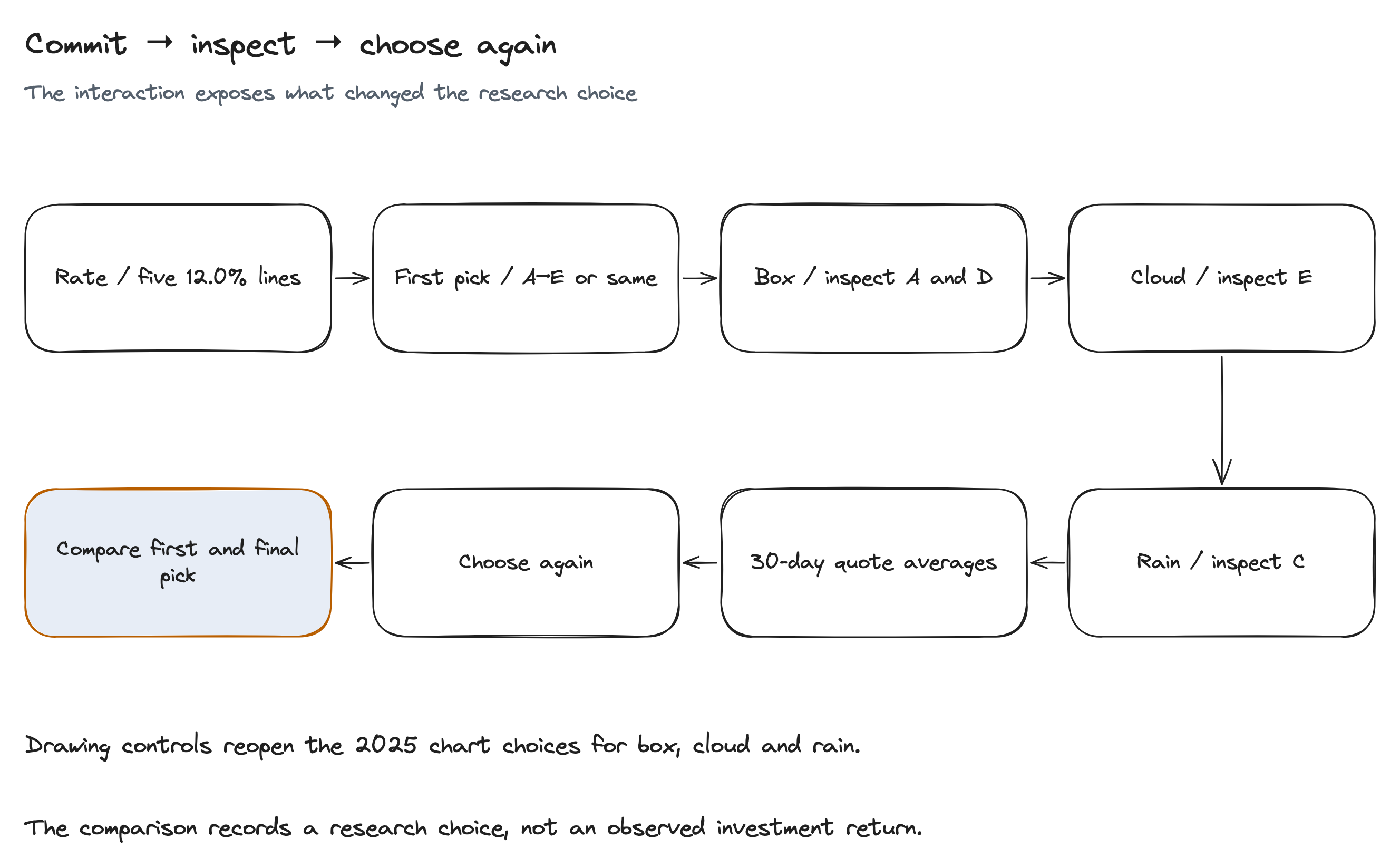
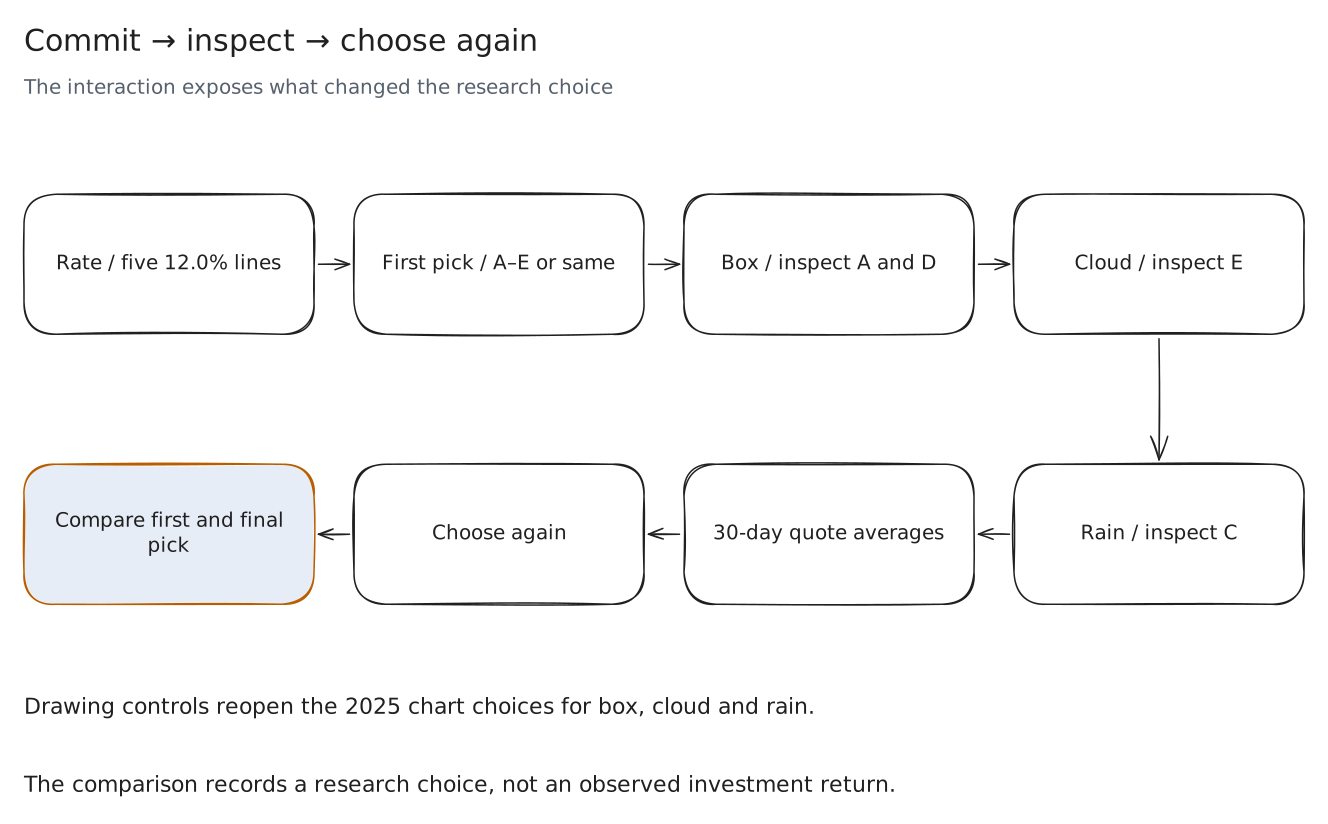
Read the diagram as text
- Rate / five 12.0% lines
- First pick / A–E or same
- Box / inspect A and D
- Cloud / inspect E
- Compare first and final
pick - Choose again
- 30-day quote averages
- Rain / inspect C
- Drawing controls reopen the 2025 chart choices for box, cloud and rain.
- The comparison records a research choice, not an observed investment return.
Data → instrument → captures → checks
Build provenance retains the generator, template and real browser captures
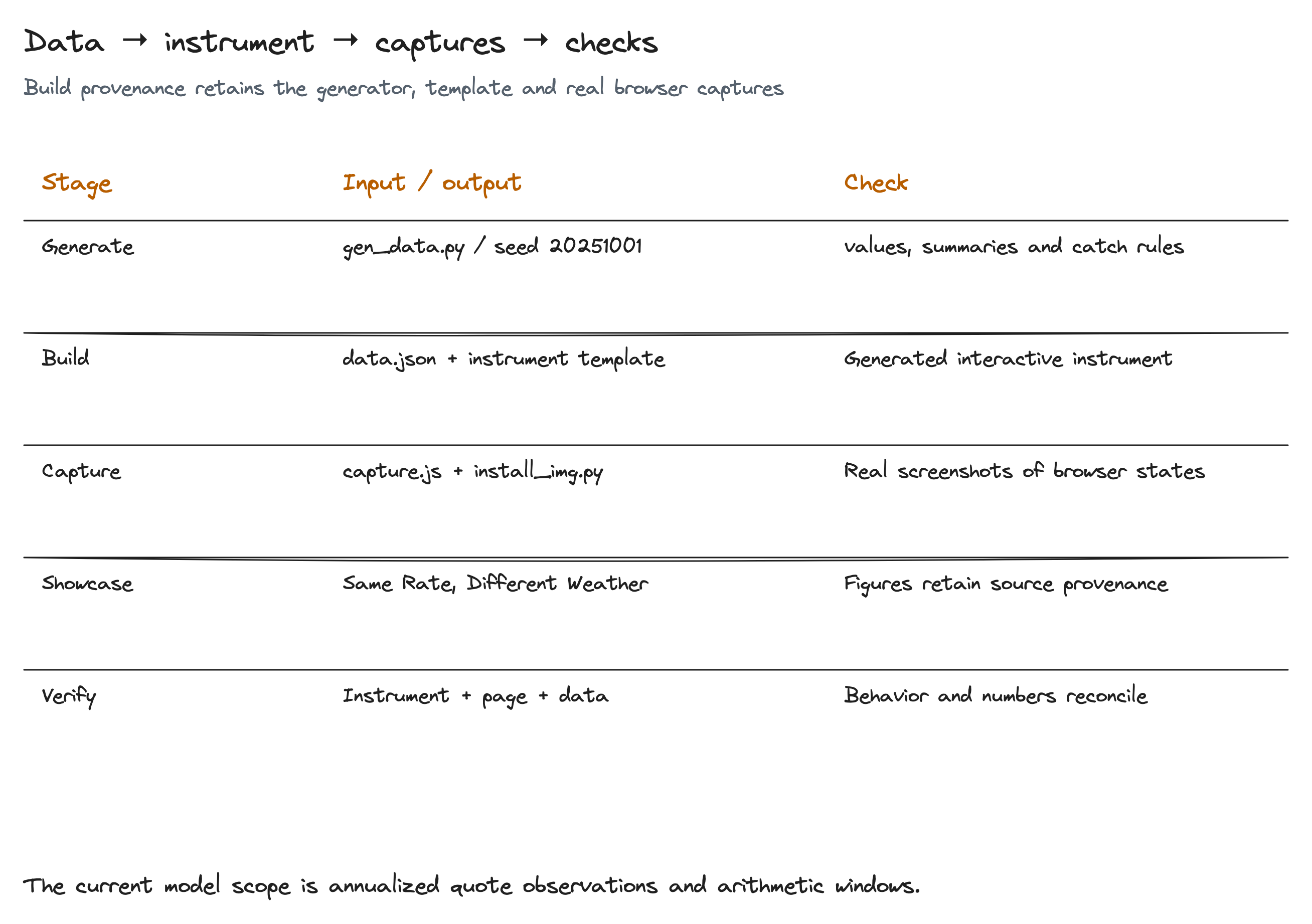
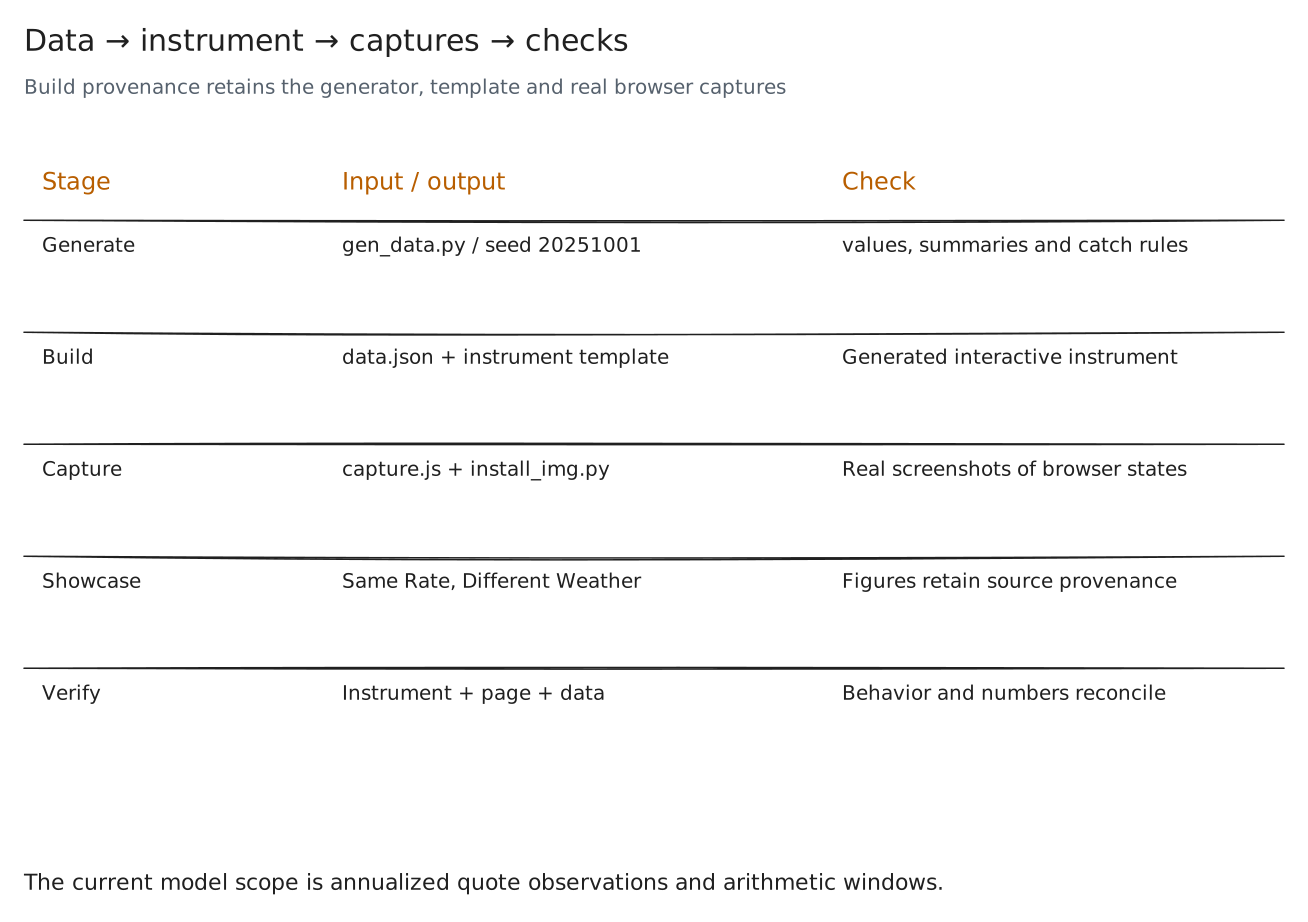
Read the diagram as text
- Stage
- Input / output
- Check
- Generate
- gen_data.py / seed 20251001
- values, summaries and catch rules
- Build
- data.json + instrument template
- Generated interactive instrument
- Capture
- capture.js + install_img.py
- Real screenshots of browser states
- Showcase
- Same Rate, Different Weather
- Figures retain source provenance
- Verify
- Instrument + page + data
- Behavior and numbers reconcile
- The current model scope is annualized quote observations and arithmetic windows.